TiviMate Companion
- 3.2
- Rating
- 1.00M
- Installs
- Free
- Price

 Analysis by App-foxy
I approached TiviMate Companion with one important expectation: it is not the place where you watch IPTV channels. Its job is narrower and more practical. This free tools app from Armobsoft FZE supports the account and subscription side of the TiviMate IPTV player, so its value depends almost entirely on whether you already use that player and need a convenient way to manage access.
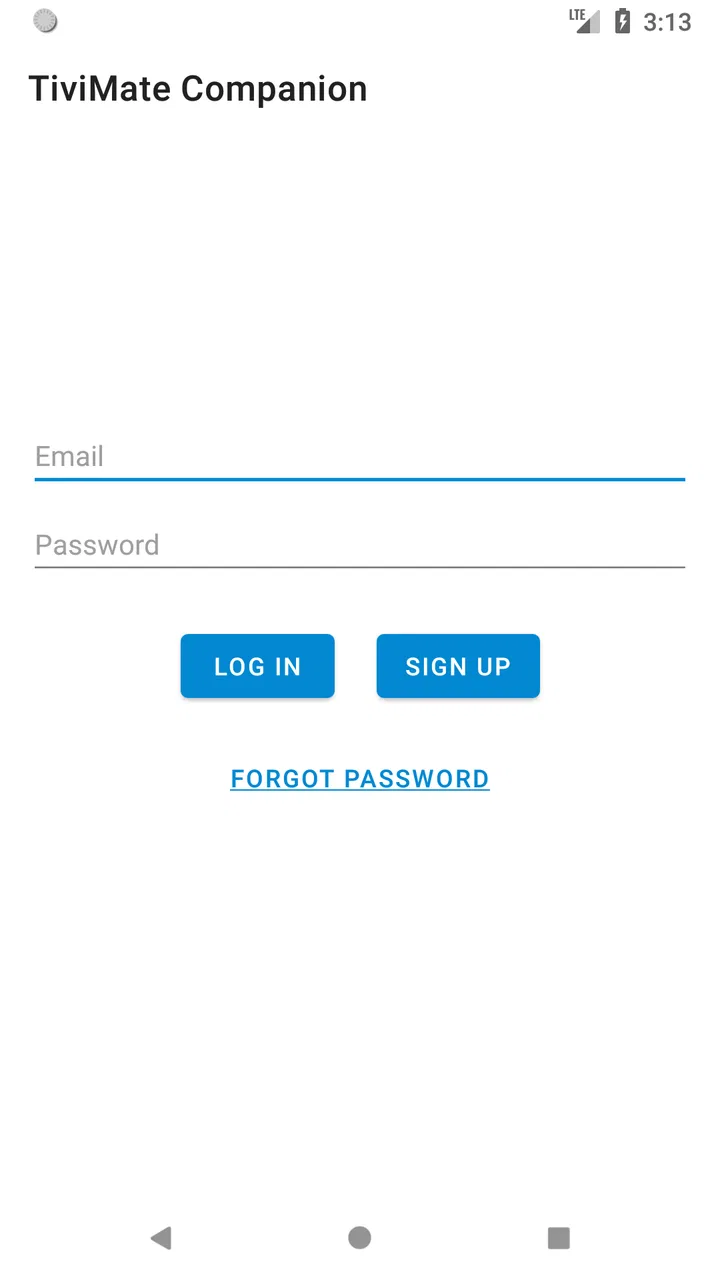
That distinction matters more than it may seem. Someone searching for an IPTV player could install it, see a sign-in screen or account tools, and wonder why there is no channel list or playback window. I had to treat it as a companion utility rather than a standalone entertainment app. Once I used it with that mindset, the purpose became clearer: it helps connect the user’s TiviMate setup to the service features that sit outside the main viewing interface.
The app is free to install and is suitable for Everyone. It has passed the one-million-install mark, while its average rating sits at 3.2 from roughly five and a half thousand ratings. That mixed score feels understandable to me because the app can be useful when it matches the exact TiviMate workflow, but it offers very little to people who expected a complete IPTV experience in one download.
You May Also Like

 Blood Strike: 2.5 Anniversary
Blood Strike’s Loadouts Turn Every Drop Into a Tactical Gamble
A close look at Blood Strike’s custom loadouts: how fast access to signature weapons reshapes its battle royale rhythm, rewards preparation, and narrows the gap between fights.

 Pandora - Music & Podcasts
Pandora’s Music Is Easy to Start, but Harder to Recover
Pandora’s strength is its low-effort path from a seed to a station. Its weak spot is how much confidence it asks you to place in connection, setup, and quiet recovery.

 8 Ball Pool
 Is Built on Rivalries, Rematches, and Routine
A close look at the rivalries, rematches, shared routines, and unanswered safety questions that turn a quick pool match into a persistent mobile community.

 Samsung Music
’s Quiet Strength Is Playing What You Already Own
Its reach comes less from spectacle than from dependable access to a personal library. That simplicity is both the app’s strongest retention engine and its ceiling.

 AccuWeather: Weather Radar
AccuWeather Review: A Quick, Clear Forecast for Everyday Decisions
For everyday plans, the best forecast is the one you can understand quickly. AccuWeather makes rain timing, radar, and local conditions easy to act on, with a few trade-offs.

 Hill Climb Racing
Why Hill Climb Racing Still Turns Crashes Into One More Run
A tiny car, a bumpy hill and one more upgrade: Hill Climb Racing keeps resurfacing because its simple chaos makes every near-miss feel personal.
More From Our News Desk



The capability that makes it useful
The central capability is companion account management for the TiviMate IPTV player. In practical terms, this means the app is designed to help with the relationship between your TiviMate account and the player you use for viewing. It is not a replacement for the player, your IPTV provider, or the source of your channels.
I think of it as a small control point that sits beside the main application. The player remains the place for entering or using IPTV playlists and watching content. The companion app handles the account-oriented side of the experience. That separation can be helpful, especially when you want to manage access without digging through the viewing interface on a television.
The most important thing to understand is that TiviMate Companion manages the companion side of TiviMate; it does not provide IPTV channels. Installing it will not automatically give you a channel package, a playlist, or a legal television subscription. You still need a compatible IPTV setup and the main TiviMate player for actual viewing.
This focused role is both its strength and its weakness. A focused tool can keep one task from being buried among playback controls, guide settings, and channel menus. At the same time, a user who only wants to watch television may see the app as incomplete. That is not really a defect in its intended purpose, but it becomes a serious source of confusion if the app is discovered without context.
For an existing TiviMate user, the companion approach can make sense when the television device is awkward for account tasks. Remote controls are fine for browsing channels, but they are not my preferred way to handle registration, sign-in, or subscription-related steps. Having a separate mobile utility gives those actions a more natural setting.
What the app does not replace
I would not install this as an alternative to a normal IPTV player. It does not turn a phone into a complete television service simply because the word IPTV appears in its description. It also does not replace the service that supplies your playlist. Those are separate parts of the setup, and confusing them is the fastest way to decide that the app is broken when it is simply being asked to do the wrong job.
The same applies to troubleshooting playback. If a channel fails in the main player, the cause may be the playlist, the provider, the network, or the player configuration. The companion utility is not the first place I would look for a video problem. Its usefulness begins with account and access tasks, not with stream diagnosis.
That makes the app a particularly poor fit for someone who wants a single download with channels included. In that situation, I would look for a legitimate IPTV service and a player that clearly matches it, rather than expecting this companion tool to provide the entire chain.
How it works in everyday use
The basic workflow is easier when I separate it into two devices or two roles. I use the companion app on the device that is comfortable for account entry and management, while the TiviMate player remains on the Android TV or other compatible viewing device. This division reduces the need to type account information with a remote and keeps the television interface focused on watching.
When setting it up, I would first make sure I am using the same account details and the same TiviMate ecosystem that the main player expects. If the companion app and the player appear disconnected, I would check the account before changing random playback settings. That simple order saves time because an account mismatch can look like a player problem even though the video application itself is working normally.
One useful habit is to keep the companion app for deliberate account actions rather than opening it every time I want to watch something. It is not a daily viewing dashboard. Treating it as a setup and management tool keeps expectations realistic and avoids the frustration of searching it for an electronic program guide or a channel grid.
The current version is 1.4.5 and requires Android 6.0 or later. That relatively modest system requirement makes it accessible on older Android hardware, although compatibility with the operating system alone does not guarantee that every television, phone, or account configuration will behave identically. I would still install it on the device where account entry is easiest, not automatically on every device in the home.
Because the app is free, trying it does not require an upfront purchase. However, the listing includes in-app purchases ranging from $0.99 to $33.99 per item. I would pay attention to what an on-screen purchase is for before confirming it, particularly if I am only trying to understand the companion workflow. A free download should not be mistaken for an entirely cost-free IPTV arrangement, since the companion app and any viewing service are separate considerations.
A realistic household example
Imagine that I have TiviMate installed on a living-room television and want to complete an account-related step. Using the remote, I could attempt to navigate menus and type through an on-screen keyboard. That works, but it is slow and easy to get wrong. With the companion app on my phone, I can handle the companion task on a touch screen, then return to the television and continue using the player.
The benefit is not flashy. It is the removal of small points of friction: fewer remote-control keystrokes, less time moving through television menus, and a clearer separation between account work and viewing. If I only perform that task once, the benefit may be modest. If I regularly manage TiviMate access across a household, the convenience becomes more noticeable.
There is also a practical troubleshooting lesson here. If the account action succeeds in the companion app but the television still does not reflect the expected state, I would restart by checking that the main player is signed into the matching account and that I am not confusing a player license or account issue with an IPTV provider issue. The companion app can clarify one part of the chain, but it cannot repair every link.
Small workflow choices that help
I found three habits especially useful. First, I would keep the account credentials available before beginning setup, because switching repeatedly between a phone and a television makes mistakes more likely. Second, I would write down which device has the main player and which device has the companion utility, especially in a home with several Android devices. Third, I would avoid uninstalling the main player while testing the companion app; removing the viewing side makes it harder to tell whether the issue is account-related or simply a missing player.
Another worthwhile trade-off is choosing a phone over a television for account management even when both are available. The phone is usually better for text entry and checking details, while the television is better for playback. The companion design is most valuable when I respect that division instead of expecting one screen to do every job.
The best scenario for using it
The strongest use case is an existing TiviMate household with a television-centered setup and a user who dislikes entering account information through a remote. In that situation, the companion app has a clear reason to exist. It does not need to be opened constantly; it only needs to make the less enjoyable administrative steps easier.
It can also suit someone who wants to keep account management separate from the viewing interface. That separation is useful when more than one person uses the television, because the account task can be handled privately on a personal device rather than interrupting the living-room viewing session.
I would also consider it useful during a fresh TiviMate setup, provided I already understand that I need the main player and a compatible IPTV service separately. The companion app can be part of the setup sequence, but it is not the whole sequence. Thinking of it as one component prevents the common mistake of expecting immediate channel access after installation.
For a technically comfortable user, the app’s focused purpose may be enough. I do not need a large collection of extra screens if all I want is a straightforward companion route. The smaller scope can feel cleaner than a general IPTV application that combines account tools, playlists, playback, recording, and guide features in one crowded interface.
On the other hand, I would skip it if I do not use TiviMate at all. I would also skip it if my main goal is watching IPTV on a phone, browsing channels, or finding a provider. In those cases, the app adds an extra installation without solving the actual problem. A full player or a provider’s own application would be the more sensible starting point.
Trade-offs that affect the experience
The biggest trade-off is specialization. The companion model keeps the app’s purpose narrow, but narrow purpose means narrow usefulness. I appreciate the separation when I already have the main player, yet I can see why a new user might rate the experience poorly after opening an app that does not display channels.
The average rating of 3.2 reflects that gap between expectation and purpose as much as it reflects everyday usability. A person looking for a companion utility may find it adequate, while a person looking for an IPTV player may feel that essential features are missing. Before judging it, I would compare the app’s role with the task I actually need to complete.
The presence of in-app purchases is another point where I would slow down. Since the app itself is free to download, the purchase prompts may not match what a user expects from a simple utility. I would read each screen carefully and avoid assuming that paying inside the companion app automatically supplies television content or replaces an IPTV subscription.
There is also a support-boundary issue. When something goes wrong, several services may be involved: the companion app, the TiviMate player, the IPTV provider, the account, and the network. That can make diagnosis less obvious than with an all-in-one application. My approach would be to identify the exact failure first. If I cannot sign in or manage the companion account, I would start here. If a playlist will not load, I would inspect the player and provider. If playback buffers, I would investigate the connection and stream source before blaming the companion utility.
The app’s age rating of Everyone is reassuring for general household use, but it does not change the need to understand the services connected to it. The rating describes suitability of the app itself, not the nature or legality of every IPTV stream a user may access through a separate setup. I would still choose only services and content I am entitled to use.
Finally, the Android requirement deserves a practical note. Support for Android 6.0 or later covers a broad range of devices, but older hardware can still make typing, switching apps, or handling account screens feel less comfortable. If my television is slow, I would prefer using a newer phone for the companion tasks and leave the older device to do only what it handles reliably.
Who gains the most from this companion approach
The clearest audience is someone who already uses the TiviMate IPTV player and wants a separate way to handle companion account tasks. That user understands the difference between the player and the utility, has a compatible IPTV arrangement, and values easier text entry or account separation. For that person, the app can remove a surprisingly annoying part of television setup.
It is also a reasonable choice for households where the main screen is controlled by a remote but account administration happens on a phone. The app’s value grows with the number of times I need to manage access, switch between devices, or avoid typing long details through a television keyboard.
I would be more cautious recommending it to a beginner. A beginner can use it, but only after learning that it is not a channel source and not the player itself. If the person wants a simple “install and watch” experience, this is likely to create more questions than it answers. A complete, clearly documented player-and-service setup would be a better introduction.
Likewise, users who want broad platform flexibility should compare the companion workflow with alternatives that combine account management and playback in one application. An all-in-one option may be less tidy, but it can be easier for someone who does not want to understand which app handles each part. I prefer TiviMate Companion only when the separation is a benefit rather than an extra layer.
Armobsoft FZE has kept the product focused enough that its purpose is easy to describe once the distinction is understood. The challenge is that the distinction must be understood before installation. With over a million installs, it clearly reaches a substantial audience, but reach alone does not make it universally useful. This is a supporting tool for a particular player, not a general IPTV destination.
My final view is therefore conditional but positive. I would recommend it to a friend who already uses TiviMate on a television and wants a more comfortable way to handle the companion side of the account. I would not recommend it to a friend searching for channels, playback, or a complete IPTV service. Used for its intended role, it can make setup and account management less awkward; used as a standalone player, it will feel empty by design.
That is the real effect of its main capability: it moves a few administrative tasks away from the remote-controlled television and onto a device better suited to them. The improvement is modest, but in the right household it is practical. The key is to install it as part of a TiviMate setup, not as a substitute for one.
FAQs for TiviMate Companion
01What is TiviMate Companion used for?
TiviMate Companion is primarily a companion utility for managing premium access to the TiviMate IPTV Player. It is not the main application used to watch television channels, movies, or other content. After installing it, users can sign in, purchase or restore a TiviMate Premium subscription, and manage compatible devices. You still need the separate TiviMate IPTV Player and a legal IPTV service or playlist to stream content.
02Does TiviMate Companion include live TV channels or IPTV subscriptions?
No. TiviMate Companion does not provide live television channels, movies, series, or an IPTV subscription. It is designed to handle account and premium-related functions for TiviMate. To watch anything, you must install the TiviMate IPTV Player on a supported device and add an M3U playlist, Xtream Codes account, or another compatible source supplied by a legitimate IPTV provider. The app itself does not supply streaming content.
03Is TiviMate Companion free to download and use?
The companion app can generally be downloaded without an upfront installation fee, but some TiviMate features require a paid Premium subscription. Pricing, available plans, and purchase options may vary by region and platform. Before paying, review the current terms shown in the app or official store listing. A subscription usually unlocks premium functionality in the TiviMate player, rather than giving access to channels or content.
04Can I use TiviMate Companion on an iPhone, Android phone, or smart TV?
TiviMate is mainly designed for Android TV and other compatible Android-based television devices, while TiviMate Companion is used for account and subscription management. Compatibility can differ depending on the device, operating system, and store availability. It is important to check the official listing before downloading, especially on iOS, because the companion app and the actual player may not be available or function identically across every platform.
05Is TiviMate Companion safe, and what should I check before downloading it?
The safest option is to download TiviMate Companion only from its official Google Play listing or another source clearly linked by the developer. Check the developer name, recent reviews, requested permissions, privacy information, and subscription details before installing. Avoid modified APK files and unofficial clones, which may contain malware or steal account information. Also remember that TiviMate itself does not verify whether an IPTV playlist is legally licensed.
Pros
- Simple way to manage TiviMate Premium subscriptions
- Supports multiple devices under one account
- Clean interface with straightforward account controls
- Useful for restoring premium access after reinstalling TiviMate
- Available for Android phones and tablets
Cons
- Does not stream or provide live TV channels itself
- Requires the separate TiviMate IPTV Player app
- Not useful without an IPTV service or playlist
- Limited functionality compared with a full media player
- Some features may depend on your TiviMate account status

TiviMate Companion
Gallery